OmniOne WebCall has the following login options available:
There 3 ways of signing in:
- account ID + OTP
- account ID + sip password
- account web login + web password.
Omnione WebCall functionality allows one to log into the Web Interface to make and receive calls and have call functionality using a web browser.
Note:
OTP is only available when using the account ID; the other options will make use of the sign-in option
Steps to log in:
- Open your web browser and navigate to https://webcall.vox.co.za/
- On the sign-in page, you will have the option to either sign in using OTP (which is sent to the email address configured for your number) or sign in using the username and password set for your number.
Sign in using OTP
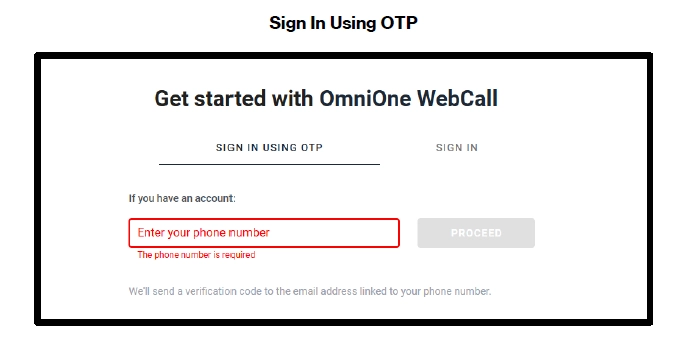
- Enter your SIP number, e.g., 27878051234, and click “Proceed”, and your verification code will be sent via email
- Enter the code retrieved via email
- Once Verification has been completed, you will be successfully logged in
Sign in using Username and Password
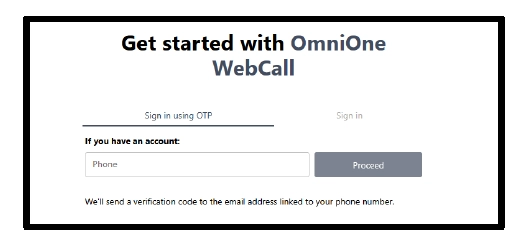
- Enter SIP Number under Enter user login
- Enter the SIP Password (Found on Extension Details on OmniOne PBX) & click Apply
- Once done, you will be logged into the OmniOne WebCall Interface.
- Now you can make and receive calls