Mobile Navigation Icons
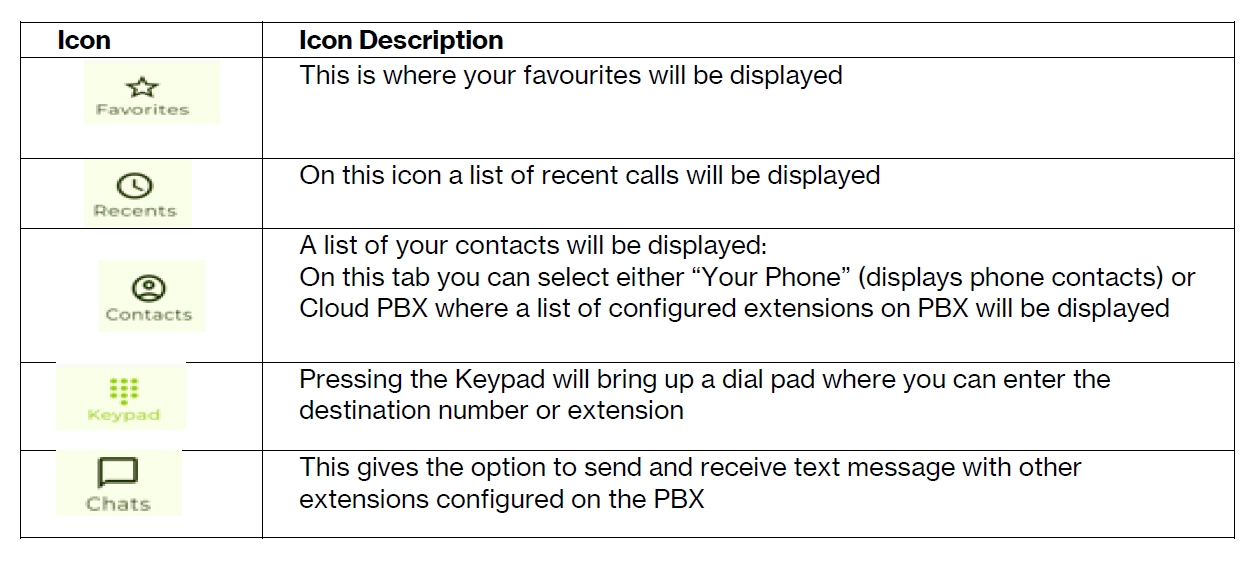
Once upon successful login you will see options at the bottom of your screen.
1. How to Make a call
You can either select the keypad to enter the number of select from your contacts manually to make a call.
2. How to answer an incoming call
Press the answer button to answer an incoming call.
If the Vox OmniOne app is closed, you will be notified of incoming calls, where you can press “Answer” to answer the call
3. Mobile Call Transfers
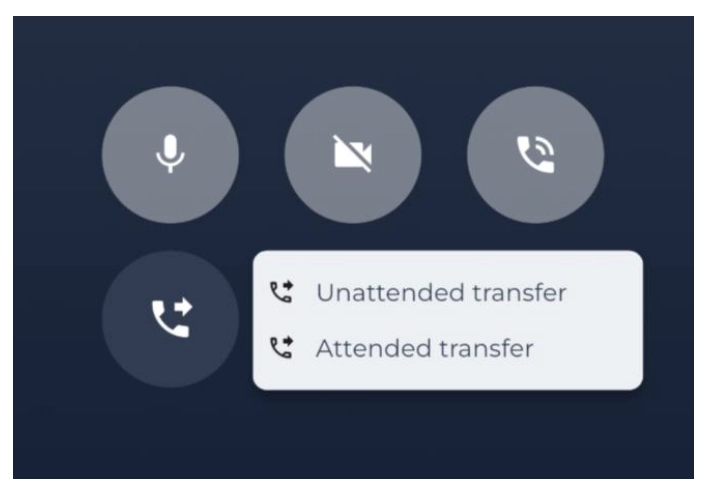
When making or receiving a call, you can use the transfer button shown below to use attended transfer or blind transfer to transfer a call. When choosing an option, you can enter the number and then press the dial key to complete the transfer
4. OmniOne Mobile download
You can download OmniOne Mobile by searching for Vox OmniOne Mobile from both the apple store, and the google play store.
Apple App Store – https://apps.apple.com/ee/app/vox-omnione-mobile/id6749313035