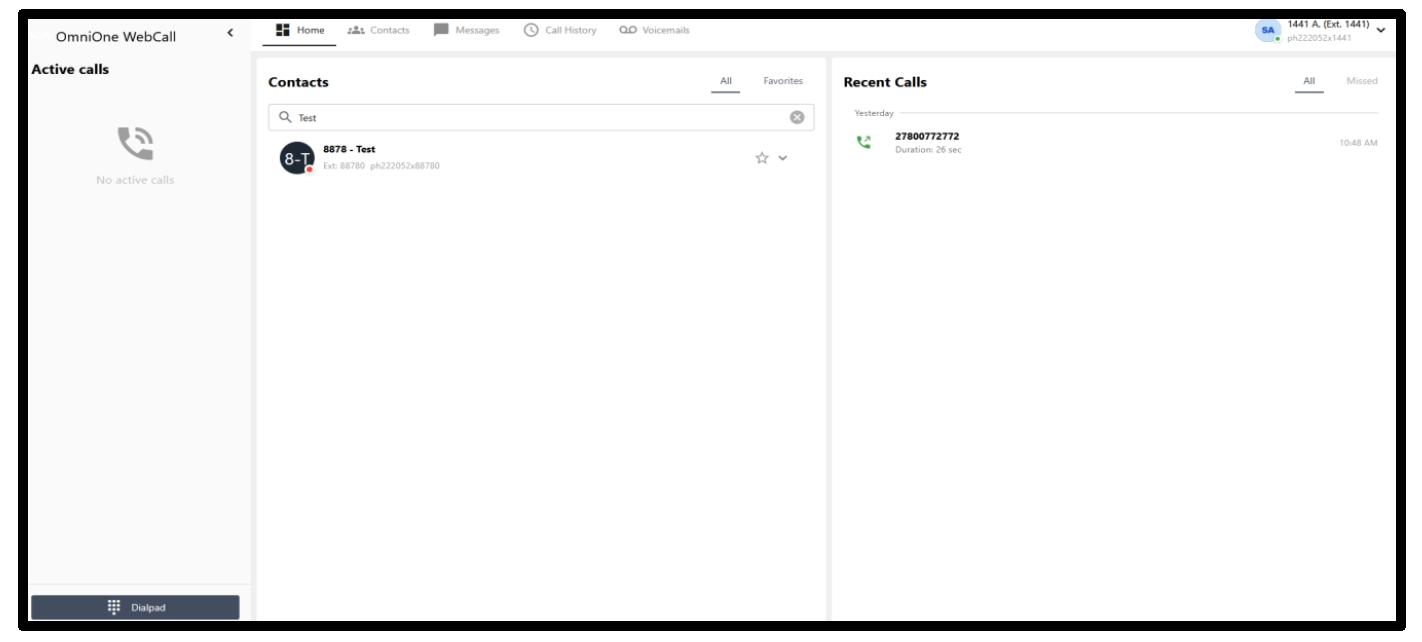
Once logged in, you will see the home screen where you will be able to see the following on the left-hand side of the screen:
Home
- This screen displays your contacts and recent call history
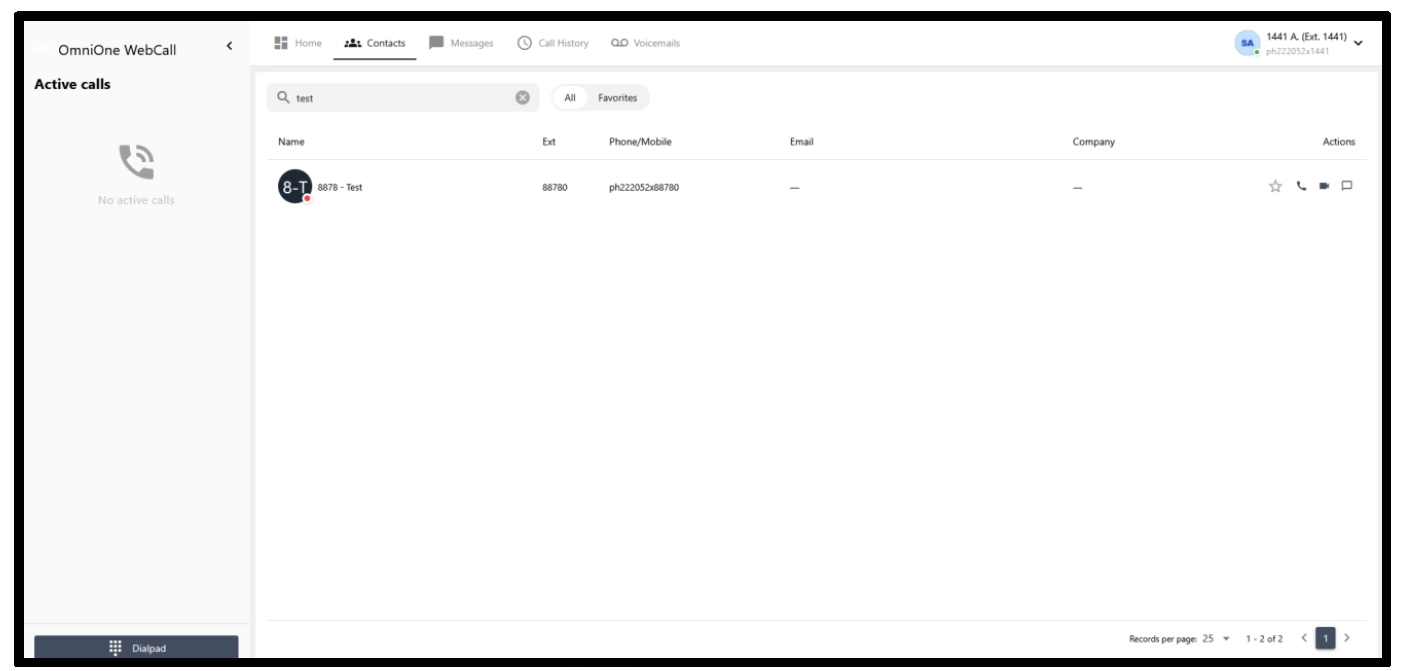
Contacts
- Displays the list of contacts and extensions configured on the instance
- Allows you to direct a voice call, video call, message and favourite a contact
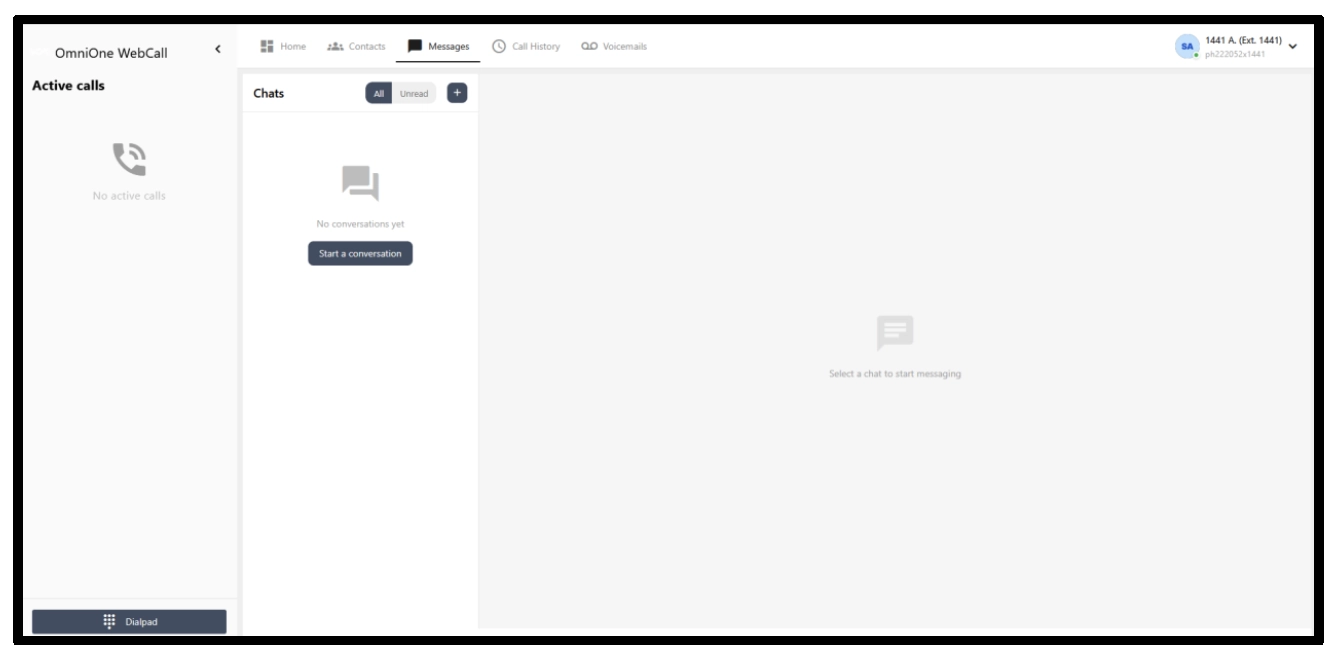
Messages
- You can send and receive messages as well as check unread messages from this tab.
- To start sending a message, select the “+” icon and choose the extension, or choose “start conversation”.
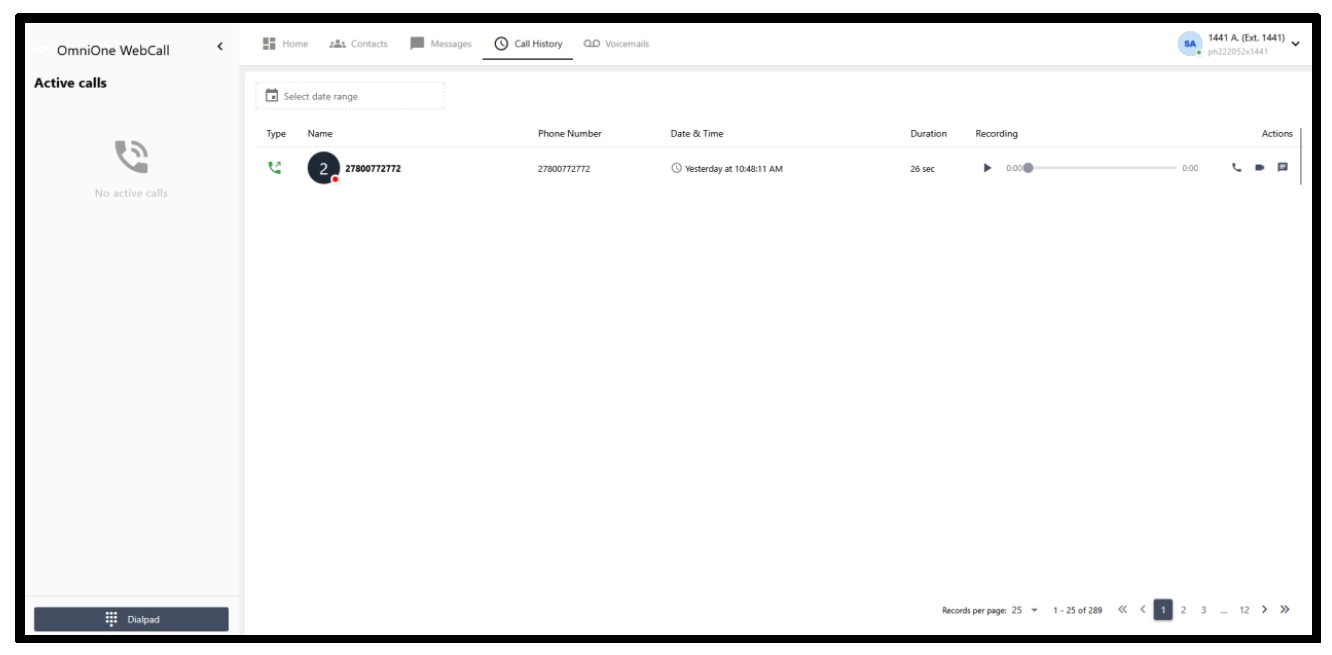
Call History
- Displays recent calls that have been made, received and missed.
- You can also dial a number back using voice or video, as well as start a new chat
- You will be able to listen to your recordings from this page if recordings are enabled
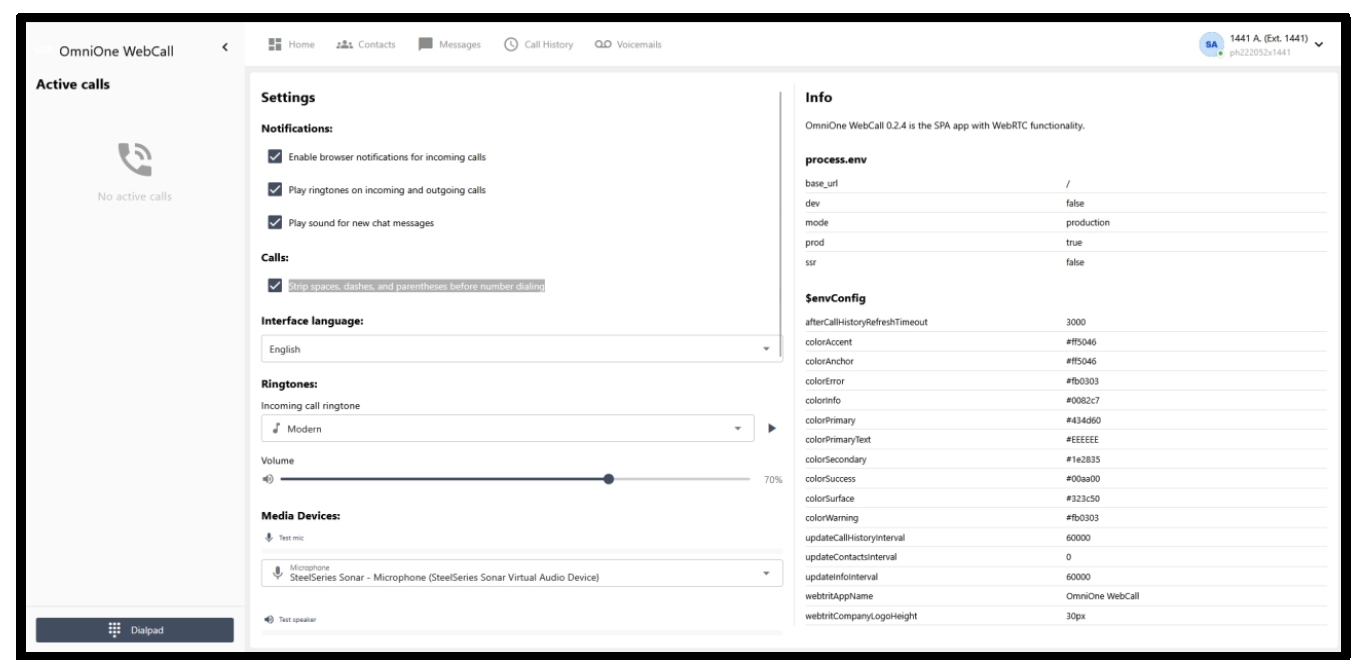
Settings
- The display settings that can be applied to your preference
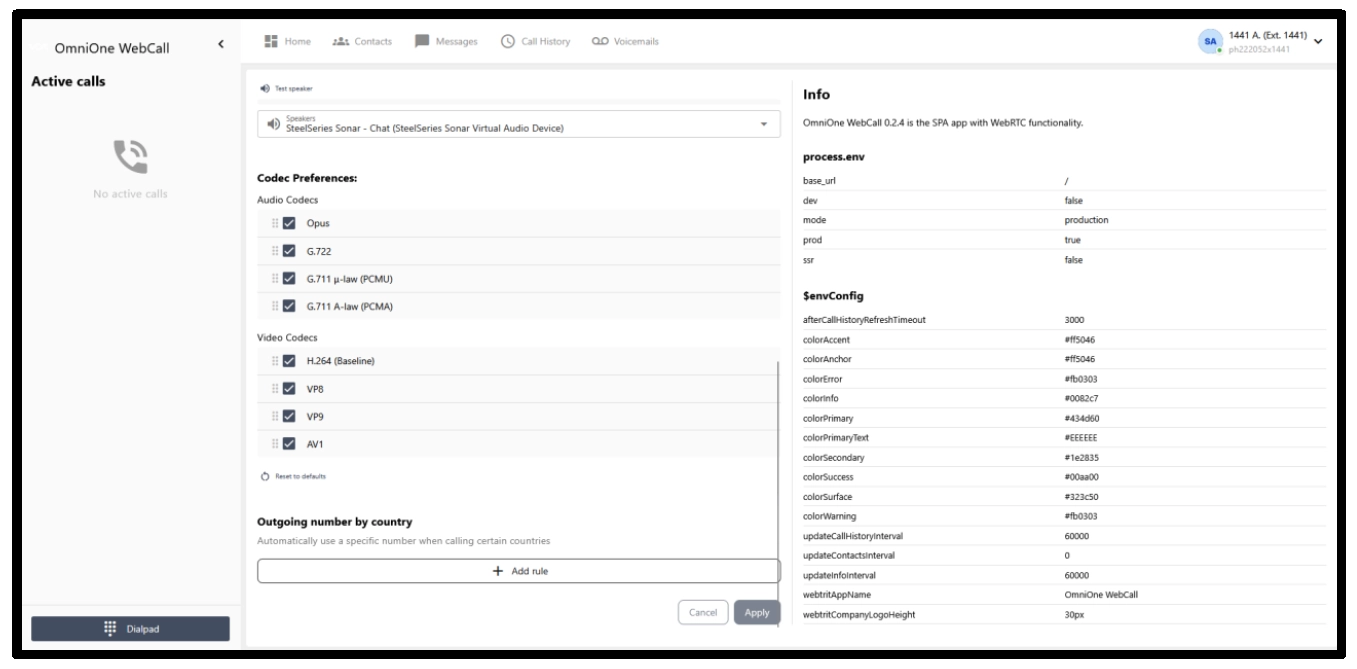
- From this page, you can customise audio settings
- You will also be able to customise the inbound tones
- You can enable the “Strip spaces, dashes, and parentheses before number dialling” option if you copy and paste numbers often
- Allow tones and notifications respectively
- The information section contains information about the version of the web dialler
- You can specify codecs; however, manual adjustment should not be required
Logging out and Setting extension to offline state
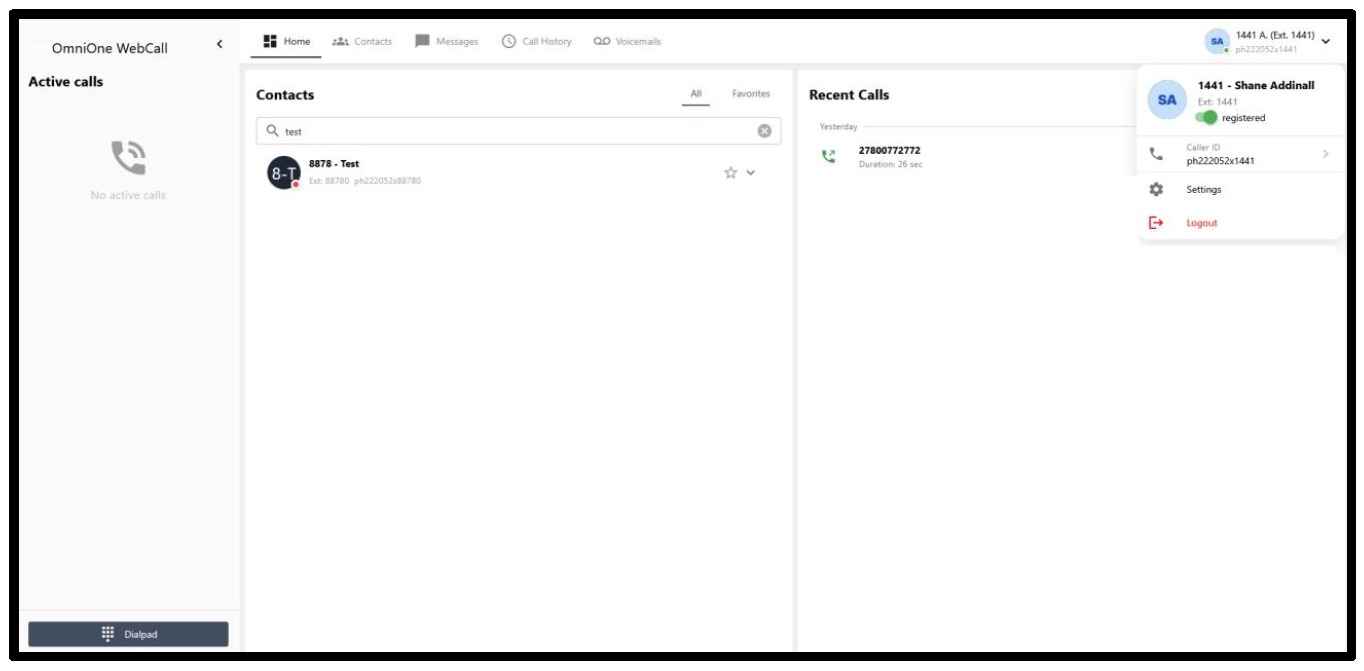
- To log out of the web dialler, navigate to your extension information in the top right
- Select the drop-down
- Then choose logout
- If you prefer to have the extension unavailable, you can click on the green registered dial to switch the extension to offline or unregistered state
Additional Tips
- You can personalise your inbound tone from the settings menu
- You can choose your specific microphone and speaker from the settings menu
- If you have a second camera, you can choose to use this instead
- Always ensure that your browser is updated from its “about” or “version” page; Chrome has this under Help -> About.
- Always enable notifications from the settings tab
- Enable “strip spaces, dashes and parentheses” if you copy and paste numbers often
Compatible browsers as of 09/06/2026
- Safari
- Chrome
- Firefox
- Opera and Opera GX